swompythesecond
New member
- Thread starter
- #1
Hey everyone! I wanted to share a really handy tool I found for anyone working with pixel art, sprites, or game assets — especially if you want to quickly test different color schemes without redrawing anything.
 PixelPaletteSwap.com is a free online palette swapping tool that lets you upload your pixel art and instantly change its colors in a super intuitive way. It works with GIFs (including animated sprites), PNGs, JPGs, and WebP images.
 How It Works
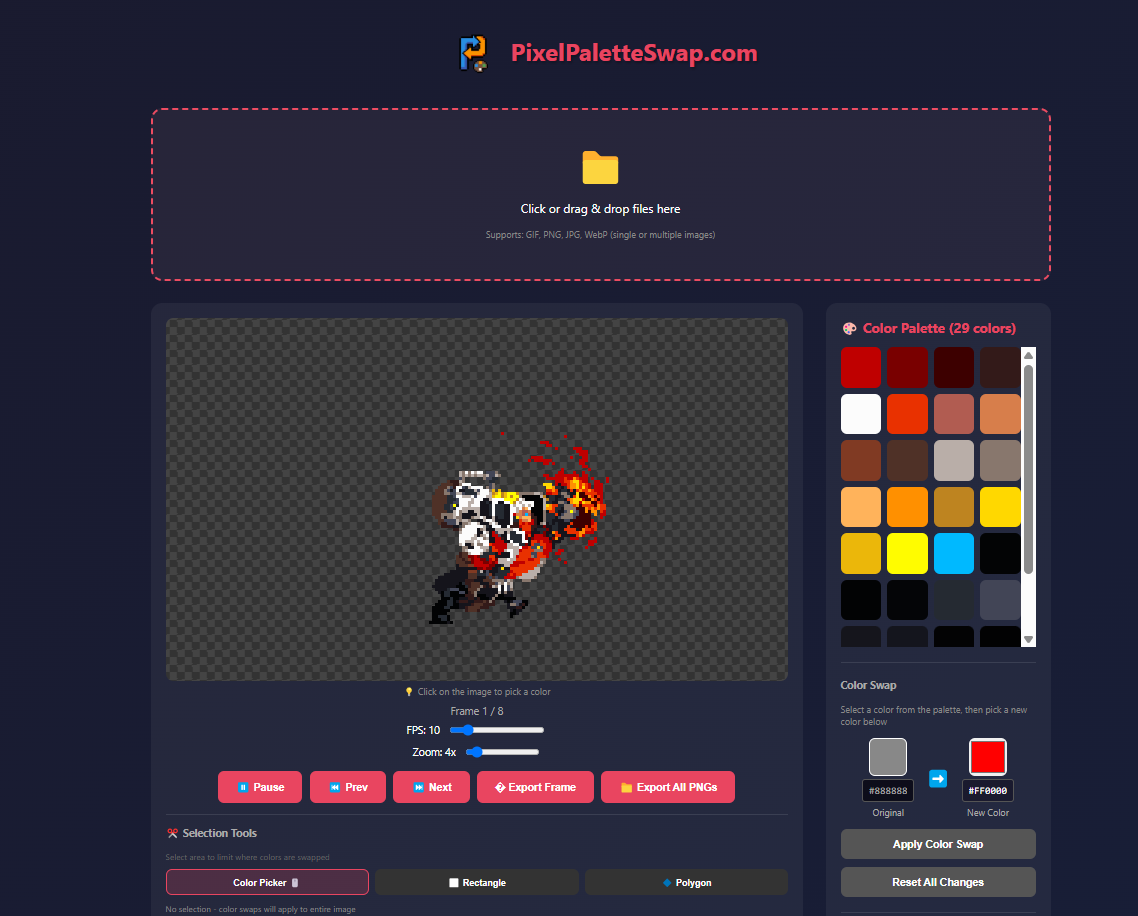
 Key Features
 Why It’s Useful
 Quickly create character variants (e.g., team colors) without redrawing.
Experiment with seasonal themes or accessibility palettes.
Great for game jams or rapid prototyping.
Works fantastic with indexed color pixel art (clean, limited palettes).
No signup, no ads — just drag & drop and start recoloring. If you’ve ever manually swapped colors in an editor like GIMP or Photoshop, this is a much smoother workflow for pixel art specifically.
Try it out:
PixelPaletteSwap.com is a free online palette swapping tool that lets you upload your pixel art and instantly change its colors in a super intuitive way. It works with GIFs (including animated sprites), PNGs, JPGs, and WebP images. How It Works- Upload your sprite or animation (GIF or a sequence of PNGs).
- The tool automatically extracts the color palette.
- Click a color in the palette (or directly on the image).
- Pick a new color — or import palette colors from another image.
- Apply the swap — and instantly see your recolored result.
- Export the finished art as a GIF or a sequence of PNG files.
Key Features- Live preview of animations as you change colors.
- Selection tools (rectangle or polygon) so you only swap colors in specific areas.
- Color picker lets you choose colors straight from the image.
- Palette import & presets — save and reuse color mappings across multiple assets
- Local processing — nothing gets uploaded to a server, all color swapping happens in your browser.
Why It’s Useful Quickly create character variants (e.g., team colors) without redrawing. Experiment with seasonal themes or accessibility palettes. Great for game jams or rapid prototyping. Works fantastic with indexed color pixel art (clean, limited palettes).No signup, no ads — just drag & drop and start recoloring. If you’ve ever manually swapped colors in an editor like GIMP or Photoshop, this is a much smoother workflow for pixel art specifically.
Try it out:
You do not have permission to view link
Log in or register now.
Last edited: